Keeping Time Without Losing Soul: How to Stop the Click Track Killing Your Recordings
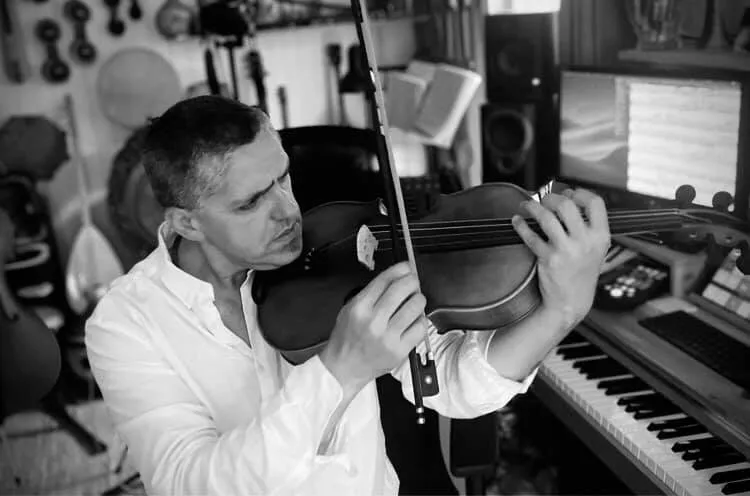
Photo: EvaMarlen, CC0, via Wikimedia Commons
There's a moment most home recordists recognise. You've nailed the timing. Every note lands exactly where it should. The waveforms line up beautifully in your DAW. And yet — something's off. The track sounds sterile. Stiff. Like it was assembled rather than played.
Welcome to the click track paradox.
The metronome is genuinely essential. Without it, overdubs drift, edits become nightmares, and your drummer (or drum machine) becomes a law unto themselves. But lean on it too hard, and you end up with recordings that are technically correct and emotionally hollow. The good news? There's a middle ground, and finding it is one of the most valuable skills you can develop as a home recordist.
Why the Grid Feels So Unnatural
Human musicians don't play in perfect time. Not even the good ones — especially not the good ones. A great drummer will push slightly into a chorus to build energy. A guitarist might pull back on a ballad to let a chord breathe. A vocalist will sit behind the beat on certain phrases because it feels right, even if it looks wrong on a timeline.
This micro-variation isn't sloppiness. It's expression. It's what separates a performance from a MIDI mockup.
When you record everything to a rigid click at a fixed tempo, you strip all of that away. Every bar is identical. Every beat lands in exactly the same place. The result can sound processed and lifeless, even when the playing itself is technically solid.
The problem isn't the click track itself — it's treating it as an absolute rather than a guide.
Technique One: Build in Tempo Variation
Most DAWs — whether you're on Ableton, Logic, Cubase, or Reaper — allow you to draw in tempo changes across a project. This is enormously underused by home producers.
Try mapping out a simple tempo curve before you record a note. A very subtle push of one or two BPM into a chorus, or a slight pull-back in an intro, can make a recording feel alive in a way that a flat tempo never quite achieves. You won't hear the change consciously, but you'll feel it.
Start conservatively. A single BPM shift over four bars is often more than enough. The goal isn't to make the tempo map obvious — it's to give the track a sense of natural momentum.
Technique Two: Know When to Mute the Click
This one takes a bit of nerve the first time, but it's worth it: turn the click off for certain sections and just play.
If you've already recorded a solid rhythm track — even just a guide guitar or a programmed groove — you often don't need the metronome for everything that follows. Vocals especially benefit from being recorded without a click in the ear. Singers who are constantly adjusting to a pulse tend to sound tense. Give them something musical to respond to instead, and the performance often opens up.
The same logic applies to ambient sections, breakdowns, or any part of a track where the energy deliberately drops. These are the moments where a rigid pulse works against you most obviously.
Technique Three: The Unplugged Pass
Here's a workflow that a surprising number of professional engineers use, even in big studios: record a completely free, unquantised take of the entire song first, before the click is even switched on.
This isn't your keeper take. It's a reference. You're capturing the natural tempo drift of the song as the player actually hears it in their head. Some producers call this a "pulse map" — a recording that shows you where the music wants to breathe.
Once you have that, you can use it to inform your tempo map, or simply keep it as an emotional anchor to compare against your click-tracked recordings. If your finished version feels noticeably more rigid than the free take, that's a signal to revisit your approach.
Technique Four: Humanise Your MIDI and Drum Programming
If you're building tracks in the box — using programmed drums, MIDI instruments, or sample packs — the click track problem manifests differently but just as severely.
Perfectly quantised MIDI has a characteristic flatness that listeners pick up on subconsciously. Most DAWs include a humanise function for exactly this reason. Use it. Apply subtle random timing variation (even just 5–10ms) and velocity shifts to your programmed parts. Drums in particular benefit from this — a snare that lands at exactly the same velocity on every single beat sounds mechanical in a way that's difficult to ignore.
Beyond humanise functions, consider recording some elements live even if you're primarily working in the box. A live shaker, a hand-played tambourine, or even a softly strummed acoustic guitar buried low in the mix can introduce enough organic timing variation to lift an otherwise programmed track considerably.
Technique Five: Use a Looser Monitoring Mix
Sometimes the issue isn't the click itself — it's how prominent it is in the performer's headphone mix. A click that's blasting at full volume forces the musician to chase it rather than feel it. They start playing to the click rather than playing with it.
Try dropping the click lower in the cue mix than feels comfortable. Or swap a sharp, high-pitched click for something more musical — a soft woodblock sound, a subtle rim shot, or even a rhythmic pulse from a shaker sample. Many artists find these alternatives easier to play alongside without tensing up.
The click should be a suggestion in the background, not a drill sergeant in the foreground.
Getting the Balance Right
None of this means abandoning the click altogether. Timing consistency still matters, particularly if you're planning to edit, quantise, or share sessions with other producers. The goal is to use the click as a foundation without letting it become a cage.
The recordings that hold up over time — the ones that still feel good on the hundredth listen — almost always have a sense of human imperfection somewhere in them. Not sloppiness, but breath. The slight lean into a chorus. The guitarist who holds a note a fraction longer than the grid says they should.
That's the thing the click can't give you. You have to bring it yourself.
And once you start thinking about timing as a creative tool rather than a technical requirement, you'll find it gets a lot easier to do exactly that.