Miles Apart, Making Music Together: The UK Producer's Guide to Remote Recording Sessions

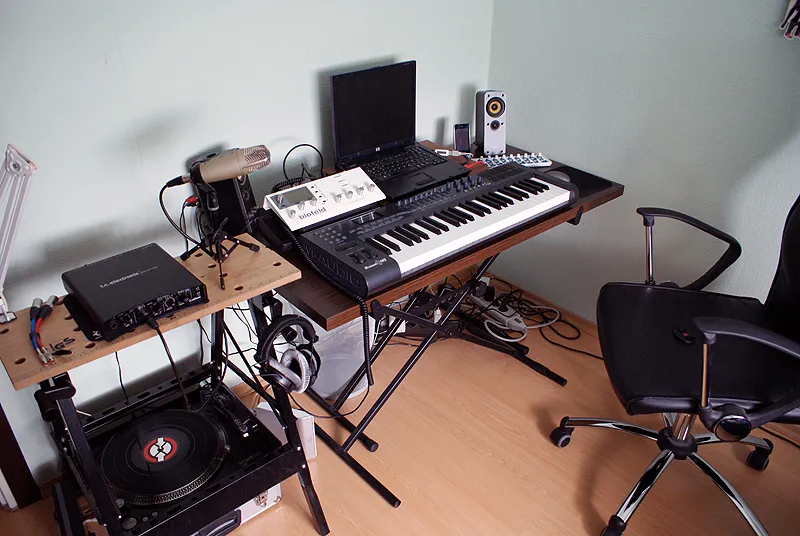
Photo: Michaelgottfried, CC BY-SA 4.0, via Wikimedia Commons
Not so long ago, the idea of recording a vocalist in Glasgow while you sat behind your desk in Bristol would have seemed like a logistical nightmare. Today, it's just a Tuesday. Remote collaboration has quietly become one of the defining shifts in how UK music gets made — and producers who've cracked the workflow are turning out records that sound every bit as polished as anything tracked in the same room.
But let's be honest: remote sessions can go sideways fast if you're not prepared. Latency issues, mismatched file formats, creative miscommunication — there's a lot that can unravel. So let's walk through how to actually make it work.
Why Remote Collaboration Has Taken Off in the UK
The UK's geography plays a surprisingly big role here. London might be the industry hub, but incredible talent is scattered across Scotland, Wales, Northern Ireland, and every corner of England. Travelling to a central studio for a single vocal take isn't always realistic — financially or logistically. Remote recording closes that gap without compromising on quality, provided everyone involved knows what they're doing.
Beyond geography, there's a creative argument too. Some artists simply perform better in familiar surroundings. A vocalist tracking in their own bedroom, with their own setup, often delivers a more natural performance than they would in an unfamiliar studio environment. That comfort factor is real, and smart producers have started leaning into it.
The Two Main Approaches: Real-Time vs. Async
Before you dive into gear lists and software, it's worth deciding which style of remote session suits your project.
Real-time sessions mean both parties are working simultaneously — you're listening live as your collaborator records, giving direction and feedback on the spot. This mimics the feel of being in the same room and is ideal for performances that benefit from back-and-forth communication, like lead vocals or improvised solos.
Asynchronous collaboration (or async) is the 'send me your stems' approach. Your collaborator records their parts independently and sends the files over. It's less immediate but removes latency from the equation entirely, and it works brilliantly for musicians who prefer to work at their own pace.
Many producers use a hybrid — an initial real-time session to establish direction and vibe, followed by async recording for the actual takes.
Tools That Actually Work for Real-Time Remote Sessions
If you're going the live route, you'll need software that can handle audio streaming with minimal delay. A few options have become firm favourites in the UK production community:
Sessionwire and Source-Connect are both professional-grade options used widely in broadcast and music production. They're not free, but they're reliable and integrate cleanly with most DAWs.
Cleanfeed is a solid browser-based option that's particularly popular for podcast recording and radio — but plenty of producers use it for remote vocal sessions too. The free tier is functional; the paid version gives you higher quality audio.
JamKazam and Jamulus cater more to live jamming scenarios, where latency needs to be as low as physically possible. These are better suited to live performance than studio tracking, but worth knowing about.
For most producers doing remote vocal or instrument overdubs, a combination of a video call (Zoom or FaceTime works fine) running alongside a file-transfer workflow gives you the best of both worlds — you can communicate in real time while your collaborator records locally at full quality.
Sorting the Latency Problem
Latency is the big one. Even a small delay between what your collaborator plays and what you hear can throw off a performance and make communication frustrating. Here's the practical approach:
First, accept that true zero-latency real-time collaboration over the internet isn't really achievable for most home setups in the UK — broadband speeds vary wildly, especially outside major cities. What you can do is manage latency so it's not disruptive.
Have your remote collaborator record to a click track or a rough mix you've sent them in advance. They monitor themselves locally (direct monitoring through their interface, not through the DAW), which means they're not fighting internet latency when they perform. You receive the file after the fact and drop it into your session. Simple, effective, and it sidesteps the problem entirely.
If you insist on real-time monitoring, keep your buffer sizes as low as your systems can handle and use a wired ethernet connection on both ends. Wi-Fi introduces jitter, which is even more annoying than consistent latency.
File Management: Get This Right From the Start
Nothing kills a remote session's momentum like receiving a folder of unlabelled audio files at mismatched sample rates. Agree on a technical spec before a single note is recorded:
- Sample rate: 48kHz is a sensible standard that works across music and any potential sync/broadcast use. 44.1kHz is fine too — just pick one and stick to it.
- Bit depth: 24-bit as a minimum. There's no good reason to record at 16-bit in 2024.
- File naming: Agree a convention. Something like
ProjectName_TrackName_Take_Datesaves enormous headaches later. - Delivery method: WeTransfer is fine for one-off files. For ongoing projects, a shared Dropbox or Google Drive folder keeps everything in one place.
Send your collaborator a 'session pack' before they start — your tempo, key, a rough mix for reference, and a clearly labelled click track. The more organised you are upfront, the smoother the whole thing runs.
Keeping the Creative Chemistry Alive
This is the bit that's harder to systemise. Recording in the same room has an energy to it — you feed off each other, ideas spark spontaneously, and you can communicate with a look or a gesture. Remote sessions can feel clinical by comparison if you let them.
A few things help. Start every session with a proper conversation before anyone hits record — talk about the song, what you're going for emotionally, what references you're both excited by. Don't just jump straight into technical setup. That five minutes of creative chat makes a real difference to the performances that follow.
Video calls are genuinely better than voice-only for this reason. Seeing someone's face when they're reacting to a playback tells you a lot.
Also, be generous with your feedback. Remote collaborators can't read the room the way they could in person, so be more vocal than you might normally be. If a take was great, say so enthusiastically. If something isn't working, be specific about why rather than vague.
A Real-World Example
Take the workflow used by a growing number of independent UK producers working with session singers: they send a produced instrumental with a detailed brief, hop on a video call to run through the song together, then leave the vocalist to record in their own time. Files come back via WeTransfer, the producer comps the best takes, and a quick follow-up call addresses any pickups needed. The whole process can turn around a finished vocal in 48 hours — no travel, no studio hire, no scheduling nightmares.
It's not glamorous. But it works.
The Bottom Line
Remote recording isn't a compromise anymore — it's a legitimate, professional approach that suits the realities of how UK music gets made today. The producers who thrive with it are the ones who treat the workflow with the same care they'd give any other part of their production process. Sort your tech, nail your file management, and put the effort into maintaining that creative connection across the miles. The music will speak for itself.